We never planned a three-part series about artificial intelligence. We came to talk about making presentations clearer, more visual, and more engaging. But as the technology evolved, so did the way we approached our work.
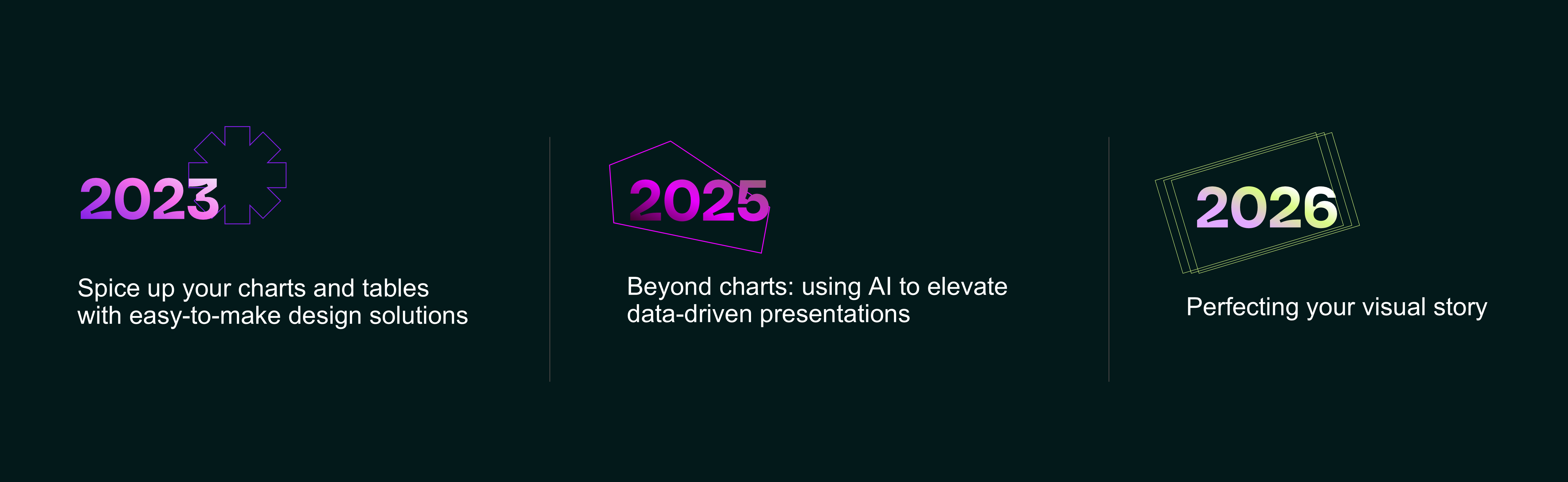
In 2023, AI was a creative assistant that helped us bring visual ideas to life. By 2025, we were handing it real production tasks. And in 2026, when AI could generate entire presentations in seconds, we found ourselves asking a different question: if anyone can make polished slides, what makes a presentation worth paying attention to?
Looking back at those three talks, it's interesting to see how much our tools have changed, and what we've learned about using them.
Back in 2023, generative AI was still largely uncharted territory. Image generators produced impressive visuals alongside extra fingers and other strange details, while large language models could confidently invent information.
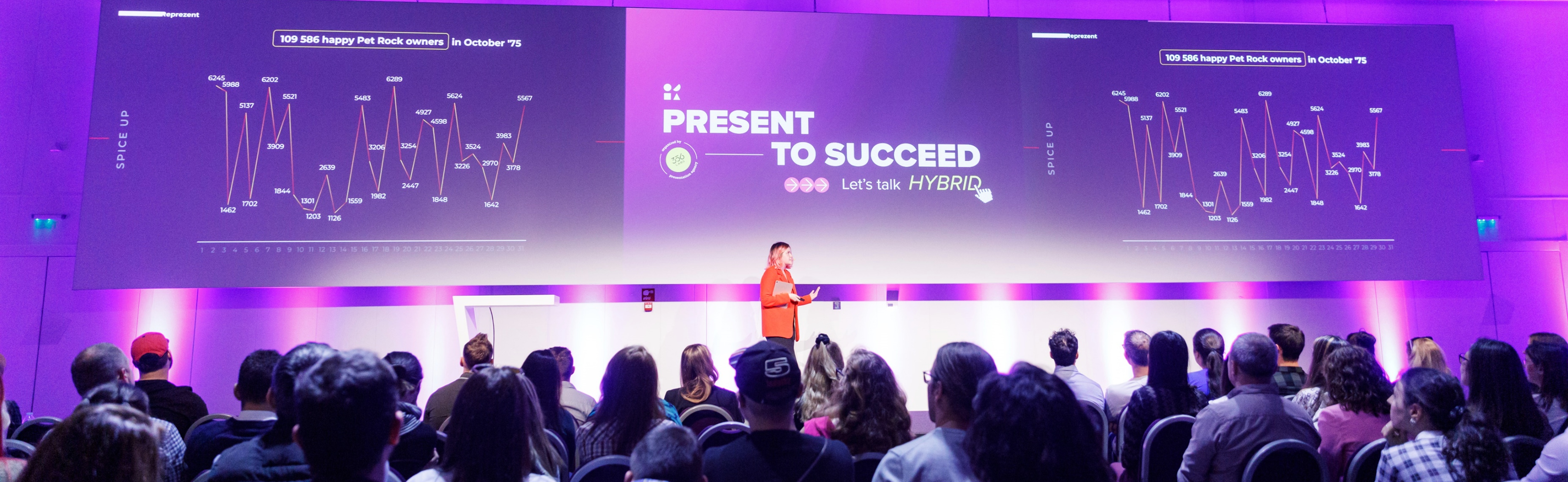
Our first Present to Succeed talk was actually about the fundamentals of presentation design: fixing broken charts, simplifying complex diagrams, and turning dense information into something people could understand at a glance.
But alongside those design basics, we introduced a new possibility: taking ordinary slides to what we called the "Reimagine" level.
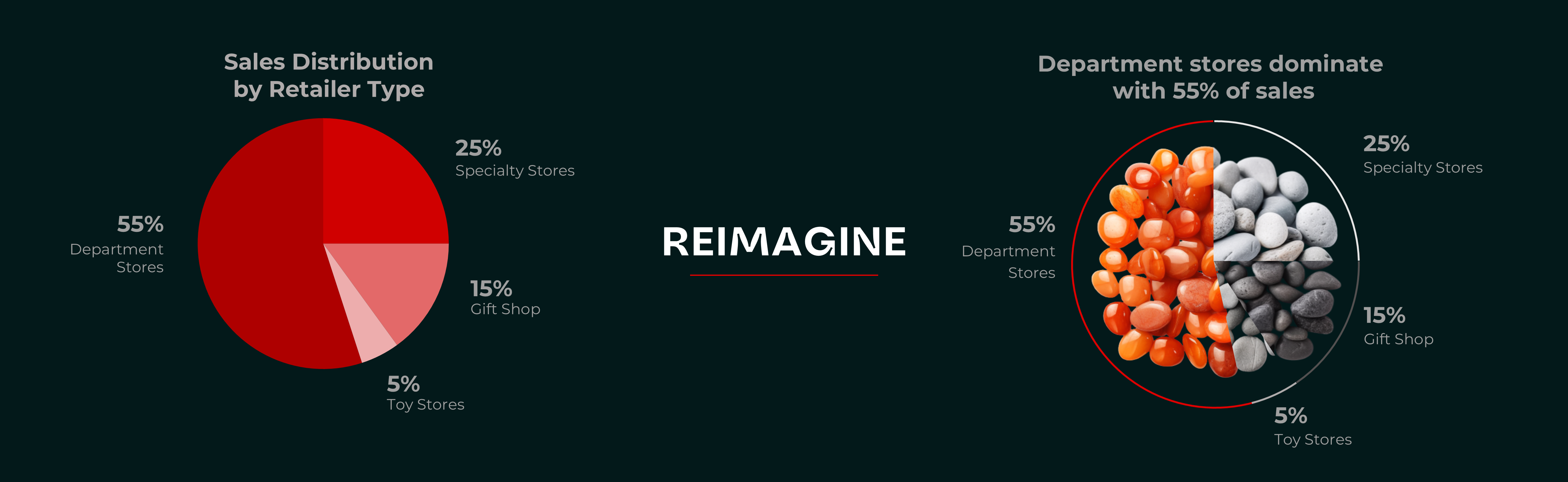
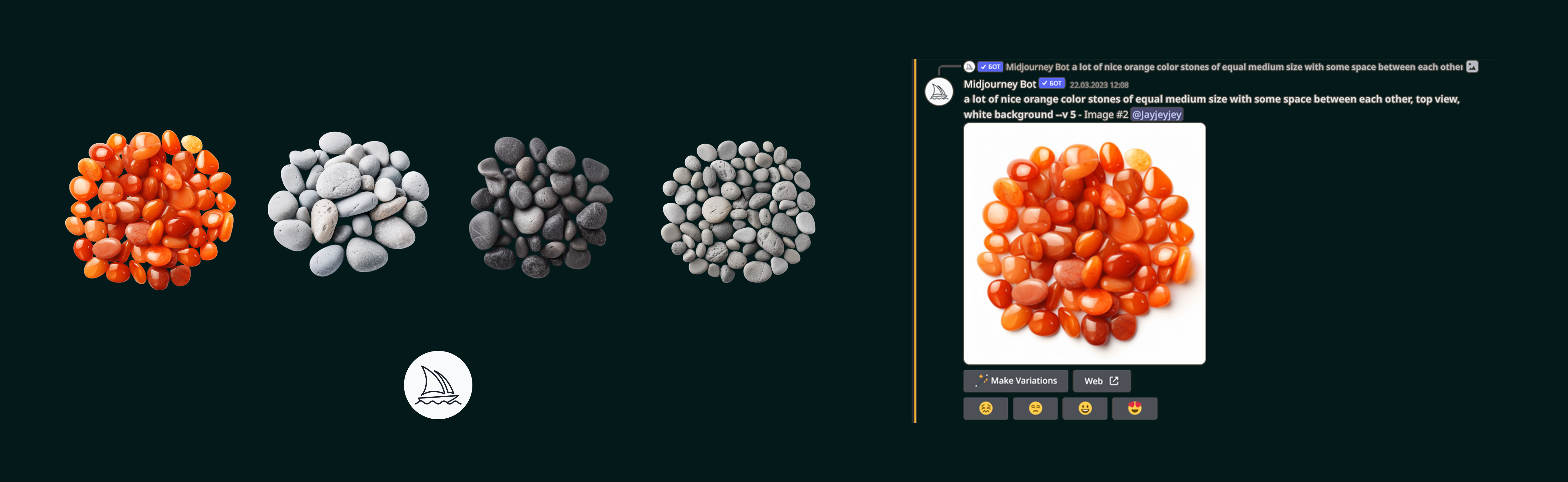
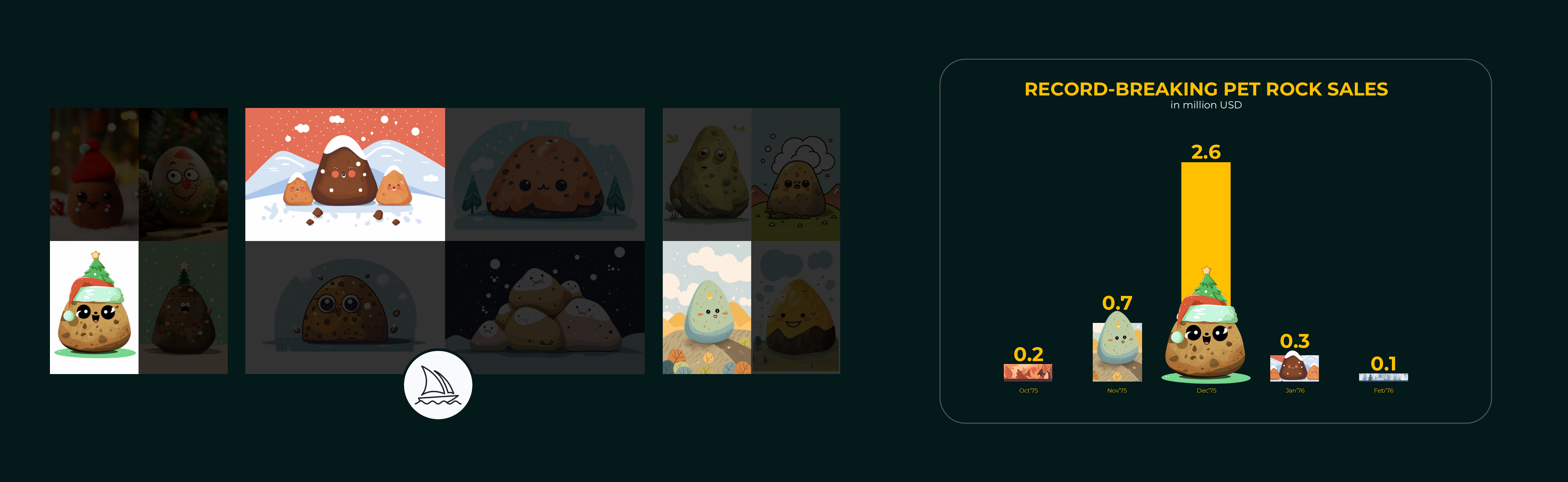
Using tools like Midjourney, we demonstrated how AI-generated illustrations could transform conventional charts into more memorable visual stories.
Instead of spending hours searching stock libraries for the right image or editing existing visuals to get the perspective we needed, we could generate custom imagery around a specific idea.
That was exciting. But we weren't asking AI to come up with the idea itself.
We still had to decide what information mattered, how to represent it, and what the audience should take away. AI simply gave us another way to execute those decisions.
At that point, it was our extra set of hands: useful for exploring visual directions, speeding up production, and escaping the limitations of standard stock imagery.
And once we'd seen what it could do with visuals, we started wondering what else we could take off our plates.
By 2025, AI was no longer a novelty. It had become a part of our presentation design workflow.
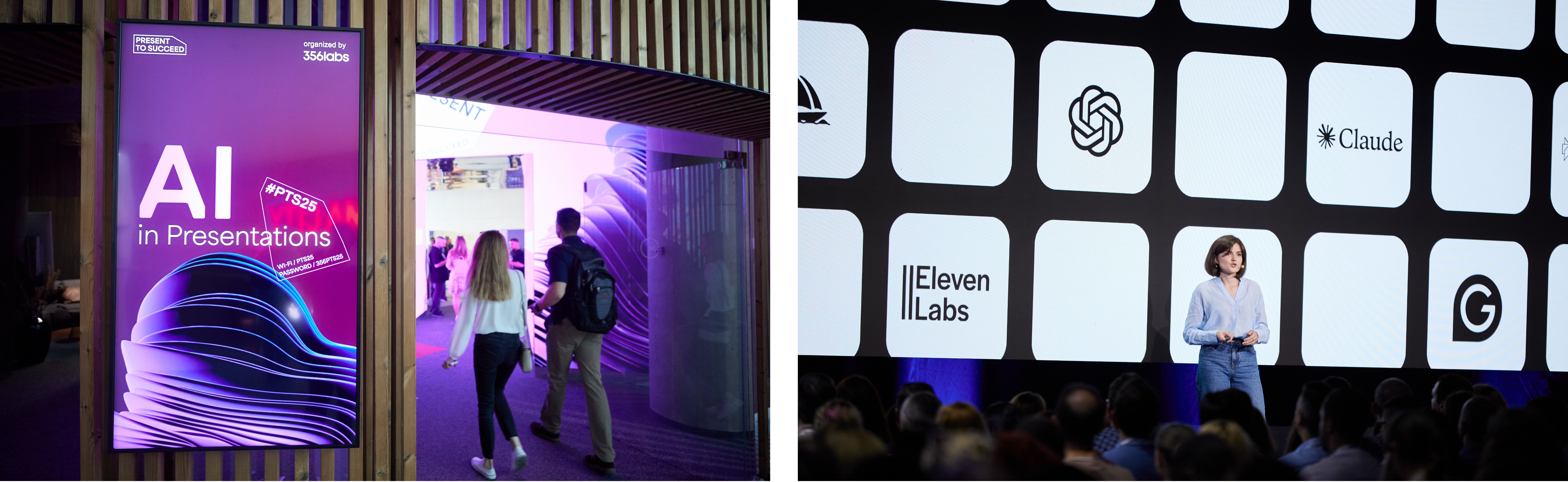
The conversation at Present to Succeed had changed, too. With AI high on the conference agenda, another demonstration of a beautiful generated image wasn't going to impress anyone.
We wanted to show something more useful: actual production tasks, raw AI outputs, and the work required to turn them into finished slides.
One of our first examples involved something rather unglamorous: rebuilding charts.
Imagine you need to update a presentation, but the source file is missing. All you have is an image. To recreate it in PowerPoint, you either have to redraw it with shapes or manually enter the data into Excel and build a new chart. It's a simple but tedious task you'd rather delegate than spend time on. And we found that Ai can handle it.
So, we uploaded a photo and asked it to convert into editable PowerPoint elements.
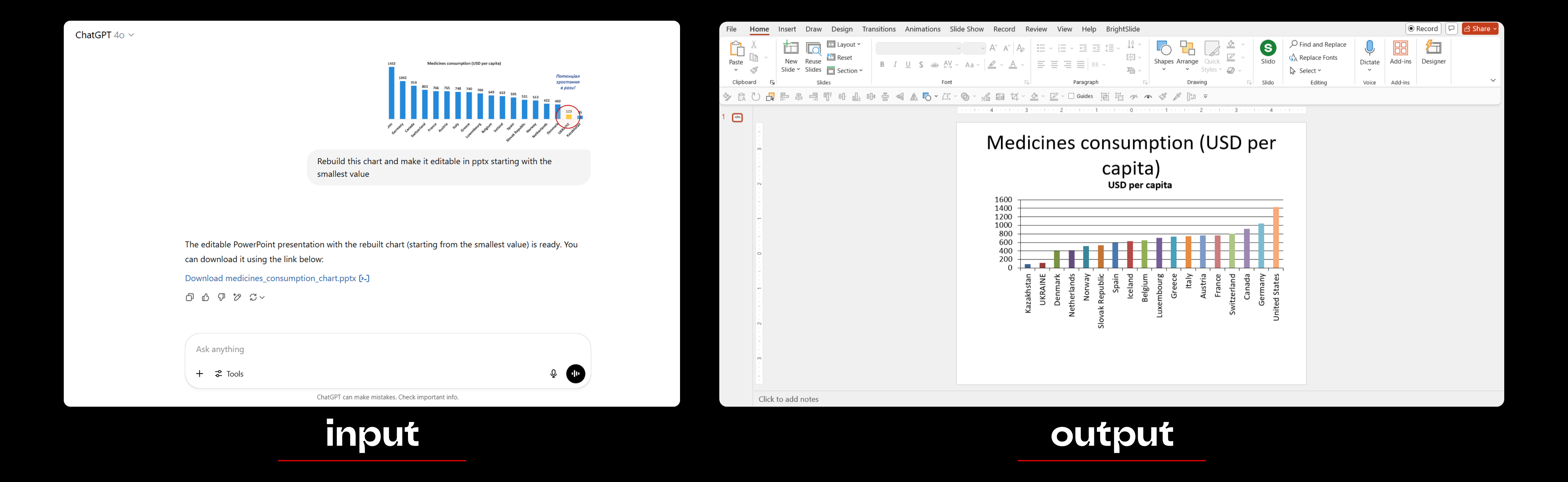
So we uploaded an image of the chart to ChatGPT and asked it to recreate it as an editable PowerPoint chart. At the time, it was the only tool we'd found that could generate PPTX files. The result was rough, but it worked. One tedious task we no longer had to do ourselves.
Next, we tried the same approach with diagrams. Creating or updating them can be just as time-consuming, especially when PowerPoint isn't your primary design tool.
We tested both ChatGPT and Claude on hand-drawn sketches. ChatGPT generated editable PowerPoint shapes, but the layout needed some cleanup. Claude sometimes captured the structure better, though it only produced editable vector graphics, which were less convenient to work with in PowerPoint.
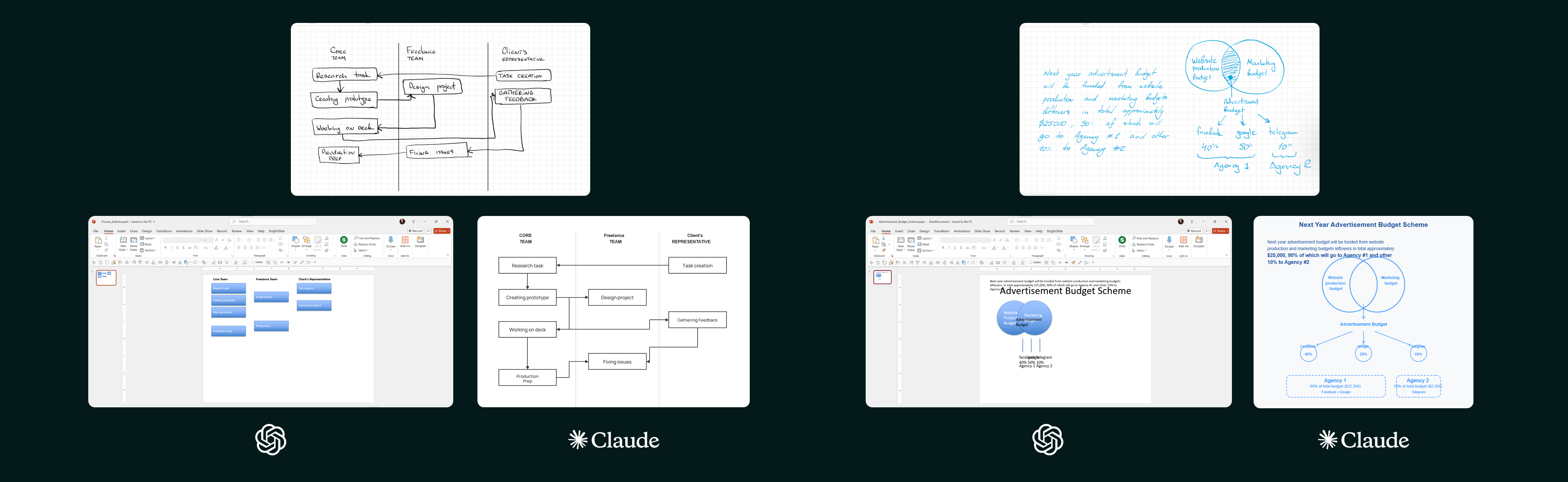
Neither tool delivered a finished slide, but both gave us a solid starting point without having to build everything from scratch.
Then we tried something more ambitious: combining accurate data with creative visualisation.
For a fleet growth slide, we wanted to turn an ordinary bar chart into something more engaging, using trucks as the central visual element.
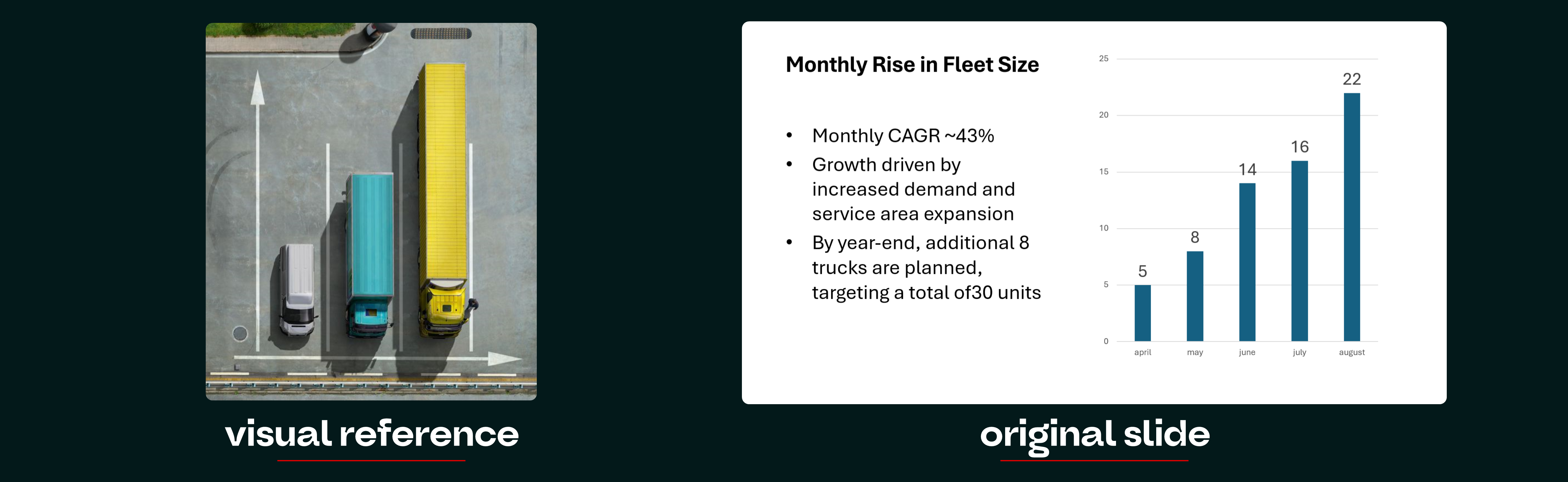
We asked AI to generate the entire chart.
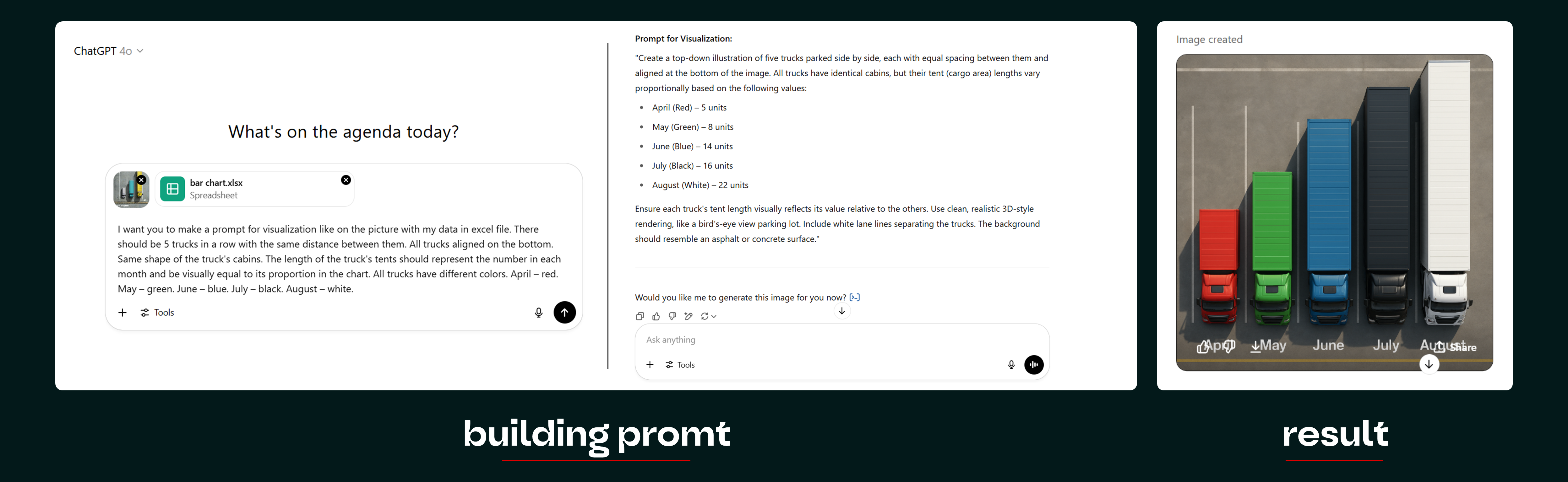
Visually, the concept looked promising. Numerically, it was a different story.
The proportions were wrong, the column heights didn't reflect the actual values, and the visualisation could easily mislead the audience.
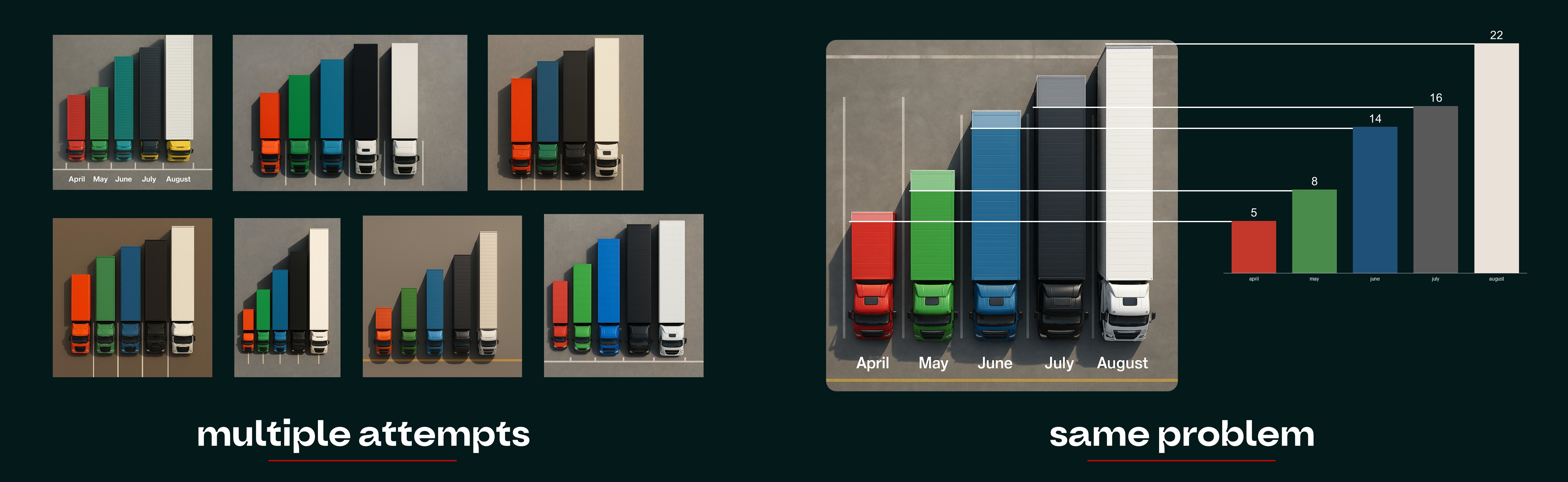
We tried several times to improve the infographic. We adjusted the prompts, changed how we provided the data, and edited the results. But ChatGPT kept mixing up.
AI could handle structured chart data and generate compelling imagery separately. But combining the two accurately in a single generated image was still a challenge.
So we split the job.
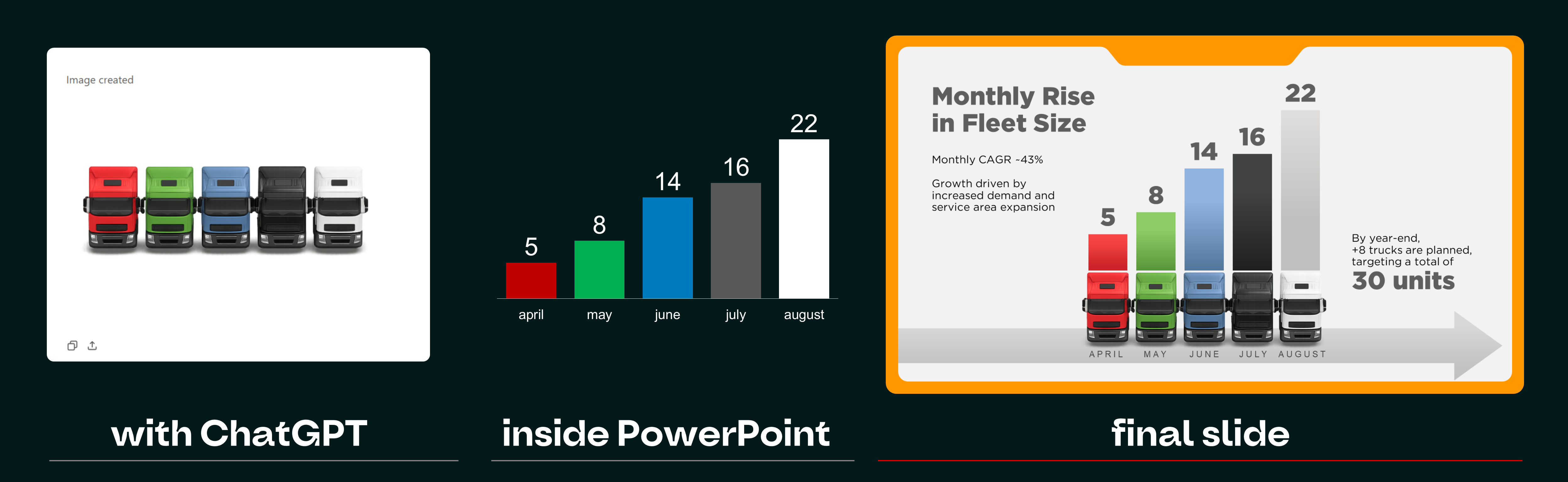
We used AI to create the truck visuals, then manually built the chart columns to represent the data with the correct proportions.
The finished slide had both: the creative concept and the numerical accuracy.
This changed the way we approached more complex AI tasks. Instead of expecting one tool to deliver a finished result, we started breaking the process into smaller steps and deciding where automation actually made sense.
The goal wasn't to make AI do everything. It was to stop doing everything the hard way.
Fast-forward to 2026.
Extra fingers are mostly behind us. AI tools can now generate entire presentation decks in minutes. Layouts look polished, typography is reasonably consistent, and almost anyone can produce something that resembles professional design.
Sounds like progress. And it is.
But the more AI-generated presentations we see, the harder it becomes to tell them apart.
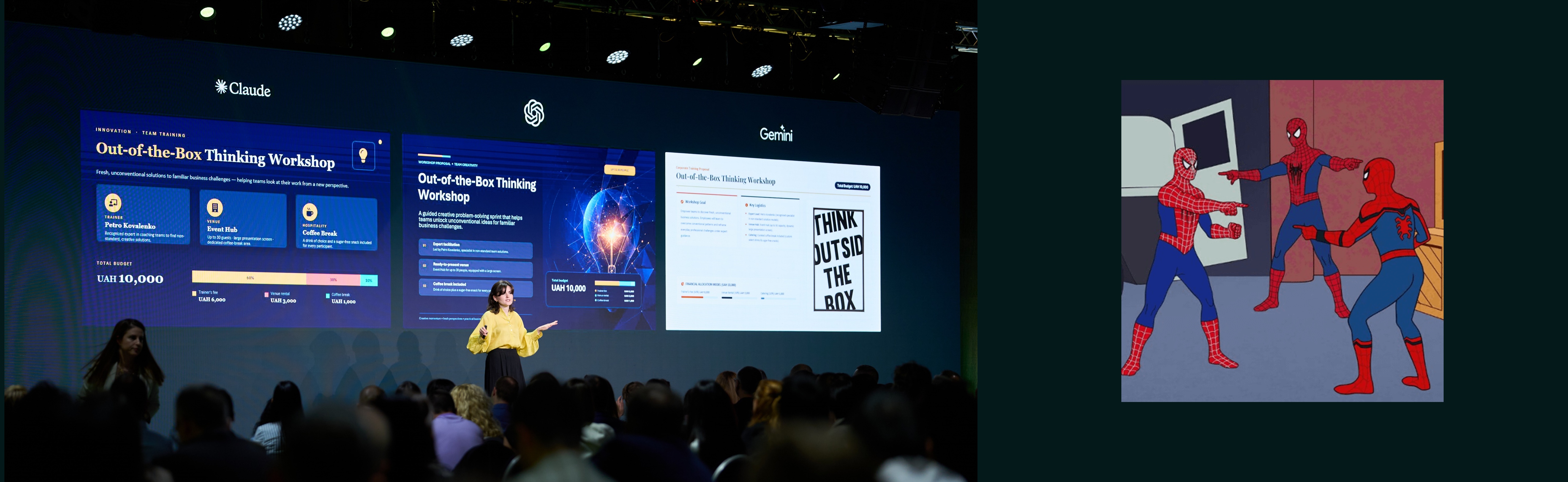
Familiar compositions. Predictable illustrations. Decorative shapes filling every empty corner. Slides that look impressive for a moment but leave very little behind.
We've entered the age of AI slop: plenty of content, not nearly enough original thinking.
And when audiences are already overwhelmed with information, adding more polished visual noise doesn't exactly help.
With storytelling at the centre of Present to Succeed 2026, we decided to shift the conversation. Instead of demonstrating how to generate more slides, we wanted to explore how to make every slide count.
While putting together practical advice for creating more effective presentations, we noticed that most of our recommendations came back to three connected resources: Time, Attention, and Pixels. That's how our Zero-Waste Design framework took shape. The idea isn't to make everything minimal. It's to make everything intentional.
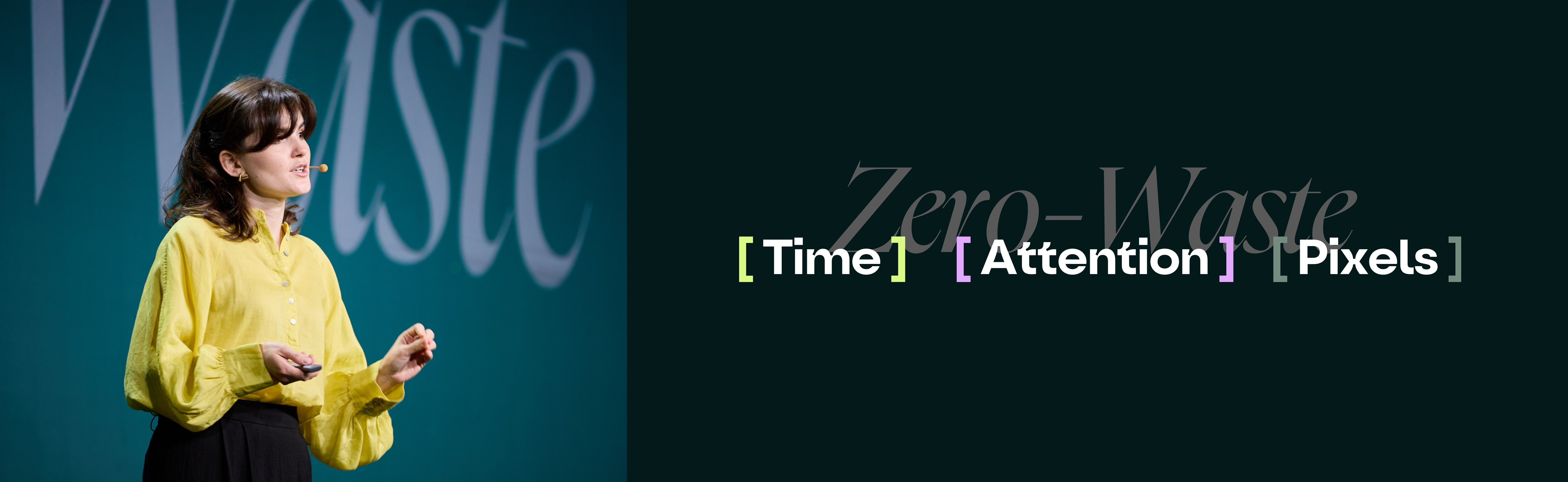
Time: Spend yours to save theirs.
Every minute we invest in understanding, editing, and simplifying content is time our audience won't have to spend figuring it out.
Think of it as an investment. We might spend an hour turning a complicated explanation into one clear visual. The audience gets the idea in seconds.
And those seconds matter. The less effort people need to spend decoding information, the more easily they can follow our reasoning and make decisions.
Attention: Make it worth giving.
Saving the audience's time is only half the job. We also need to give them a reason to care.
The harder someone has to work to understand a slide, the more likely we are to lose them.
That's why clarity goes beyond shortening text. It means knowing who you're speaking to, using their language, choosing relevant examples, and presenting ideas in ways that feel familiar and interesting to them.
A reference that works perfectly for one audience might mean nothing to another. The same goes for terminology, humour, and even visual metaphors.
Good presentation design takes these differences seriously.
Pixels: Give every element a job.
Time and attention shape our decisions. Pixels are where those decisions become visible.
Every slide gives us a limited amount of space. How we use it determines what people notice first, how they navigate the information, and what they remember.
And empty space isn't wasted space.
Neither is a bold illustration, an unusual composition, or a striking visual metaphor, as long as it helps communicate the idea.
The real question is whether each element earns its place.
We decided to put that principle to the test, using AI-generated slides.
We gave Claude, ChatGPT, and Gemini the same raw text proposal for an Out-of-the-Box Thinking Workshop.
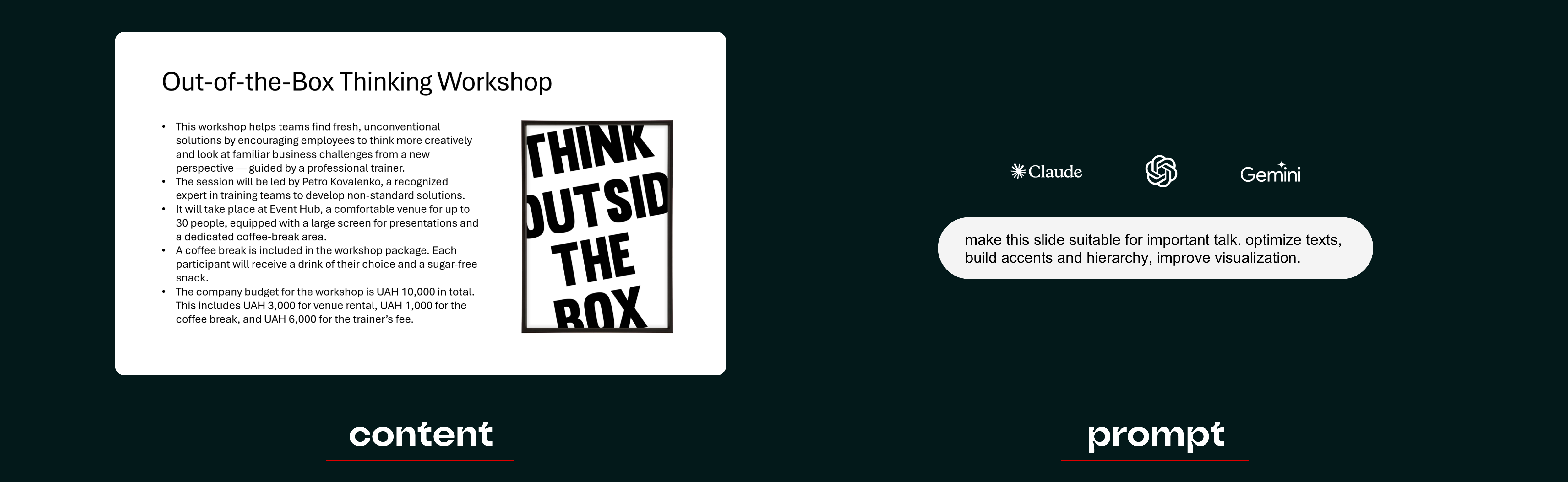
Same content. Same prompt. Same objective: improve the wording, establish a clearer hierarchy, and make the slide more visually engaging.
The results were surprisingly similar. All three models grouped the information, shortened the text to some extent, and introduced a clearer visual structure. Technically, they'd done what we asked. But none of the results offered anything particularly out of the box.
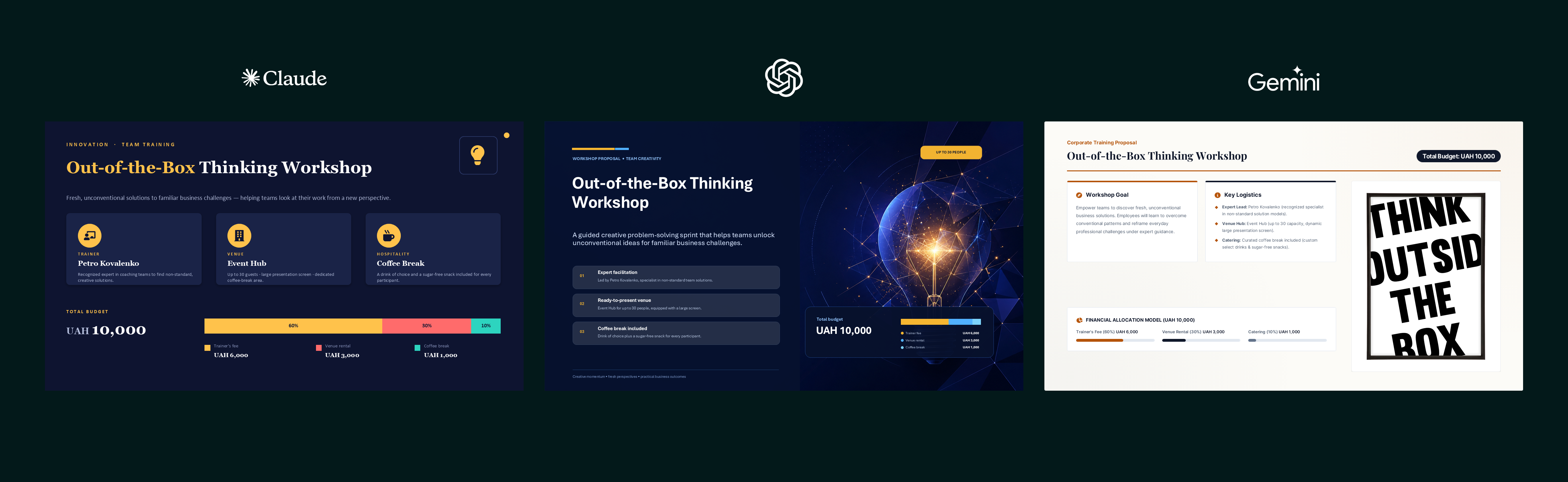
The compositions were familiar, the visual logic was almost identical, and decorative elements appeared wherever there was empty space. Nothing really reinforced the workshop's central idea.
Claude came out ahead, mainly because it handled the text better. It identified the key information, removed more unnecessary wording, and made the content easier to scan. ChatGPT and Gemini were wordier, with more visual elements that contributed little beyond filling space. So Claude won, mostly by giving us fewer things to fix.
We took Claude's version and started editing.The basic composition, fonts, and colour palette were fine, so we kept them. What we didn't keep was the clutter.
We removed redundant decoration, cut unnecessary text, and opened up space for something more meaningful: a visual metaphor that supported the workshop's Out-of-the-Box Thinking theme.
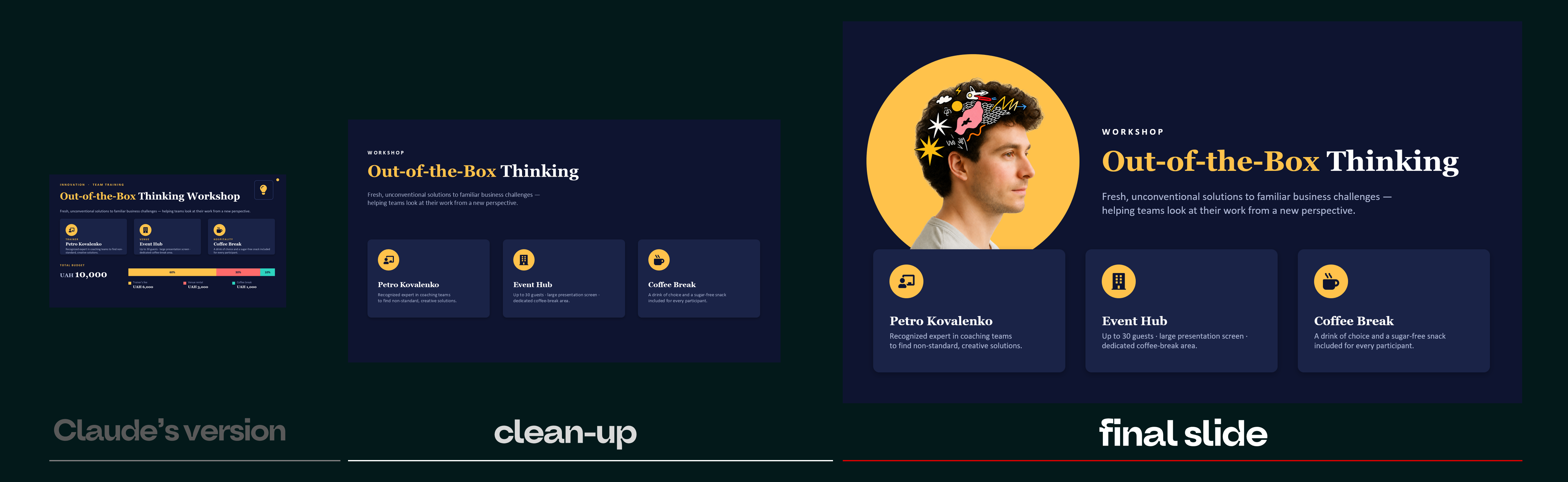
The result was cleaner, clearer, and more engaging. A perfectly reasonable AI-assisted workflow.
But there was something we couldn't ignore.
We were still designing inside the box AI had given us.
We could improve the hierarchy, rearrange elements, and add a more creative visual idea. Yet we'd already accepted the model's initial assumptions about what the slide should look like.
So we repeated the exercise, this time approaching the same content ourselves rather than using an AI-generated layout.
The design took a different direction.
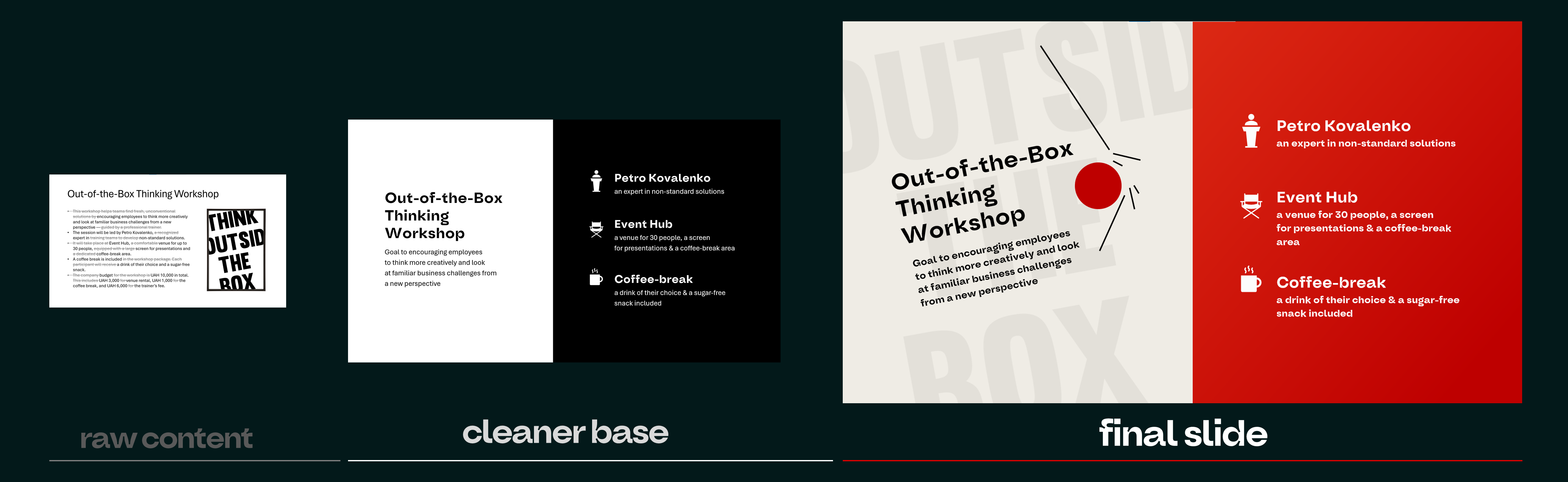
We found a composition that worked more naturally for the content and explored more distinctive ways to communicate the workshop's central idea.
It wasn't simply a cleaner version of the same slide. We had considered different possibilities from the beginning.
That's the limitation of working from an AI draft: improving an existing solution can be efficient, but it can also narrow the range of ideas we explore.
Of course, human designers rely on familiar structures too. Not every slide needs an unexpected composition or a clever visual metaphor.
Sometimes a straightforward layout is exactly what the content needs.
But when originality matters, being able to question the obvious solution can make all the difference.
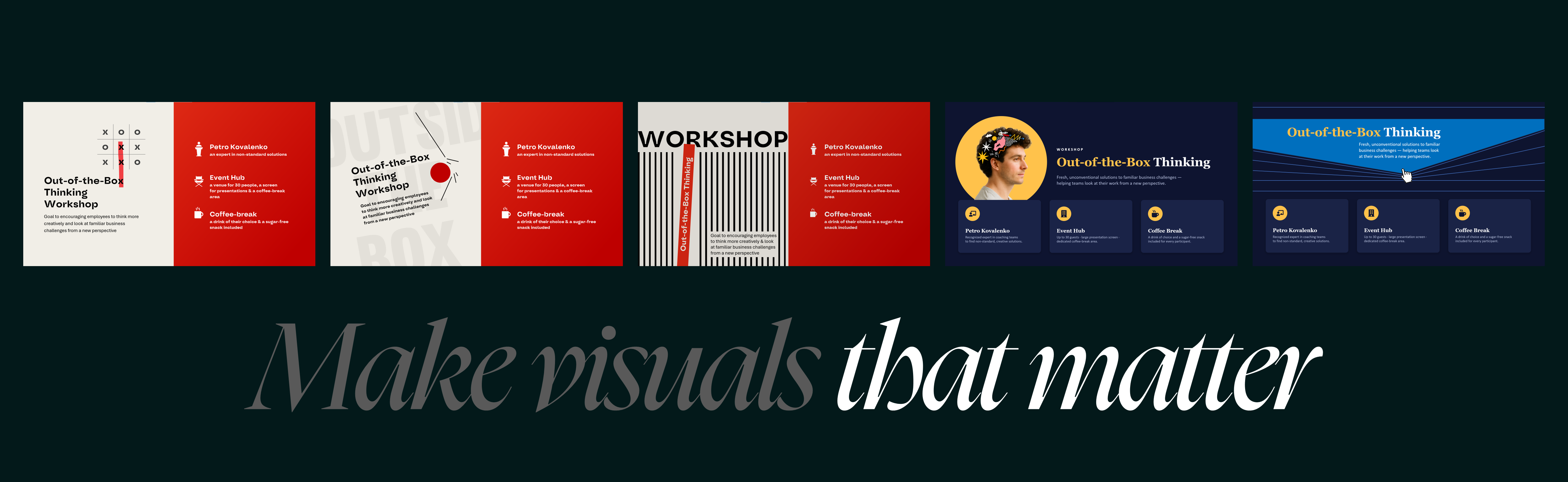
There's no realistic way to compete with AI on production speed alone. Nor should we try.
These tools are already useful for organising content, generating visual assets, building editable layouts, and handling repetitive tasks. We'd rather spend less time moving shapes around when there's a better way to do it.
But speed creates its own temptation: accepting a polished result simply because it's already there.
And when the same visual patterns appear over and over, even good-looking content becomes easy to ignore.
Remember getting the same sticker in every pack of gum as a kid? The first one was exciting. By the fifth, you were hoping for literally anything else.
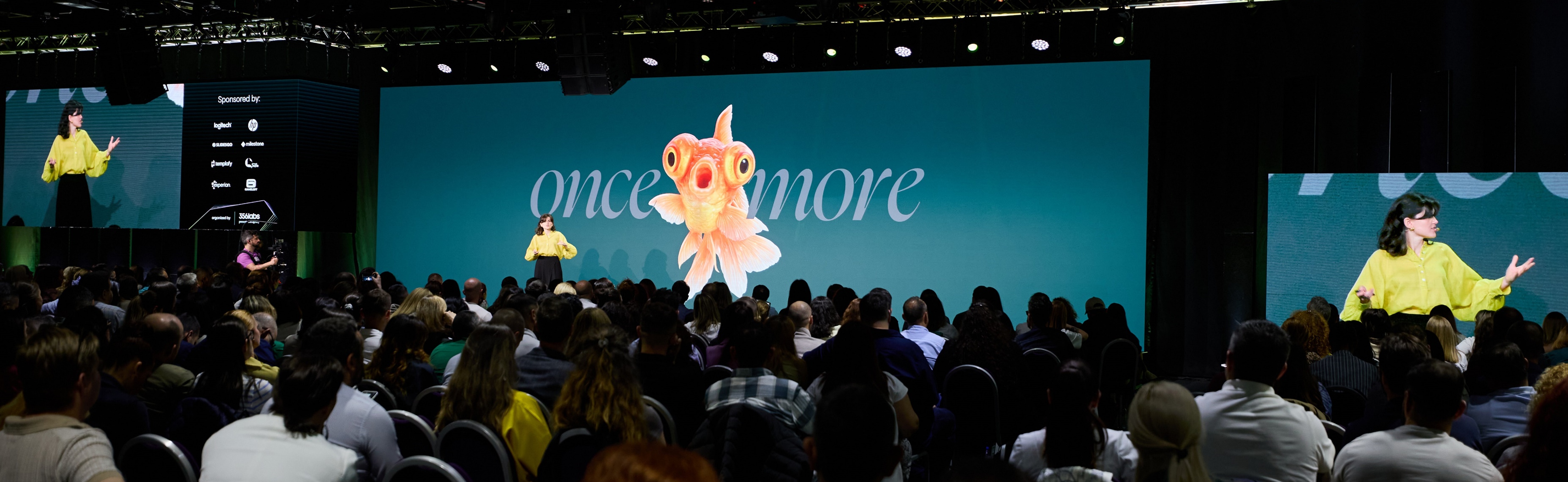
That's a little how repetitive AI-generated design can feel.
People still want something fresh, relevant, and worth their attention.
For us, the answer isn't to choose between AI and traditional design. It's to use technology where it genuinely helps, without letting its most predictable solutions dictate the creative direction.
AI can take care of a substantial part of production. Human expertise helps us decide which ideas are worth pursuing, how to adapt them to a specific audience, and when the first perfectly acceptable result isn't good enough.
And sometimes the best thing we can do with an AI draft is put it aside and explore another direction.
Looking back at our three appearances at Present to Succeed, one thing is clear: AI has become part of presentation design, whether we're talking about it on stage or using it behind the scenes.
In 2023, it helped us turn creative ideas into visuals.
By 2025, we were using it to handle real production tasks and rethink our workflows.
In 2026, we found ourselves questioning something more fundamental: how do we take advantage of all this speed without losing the originality and thoughtful communication that make design valuable?
And for anyone feeling overwhelmed by the constant stream of new tools and features, our advice is simple.
You don't need to keep up with everything.
Pick one task you already understand well and try handing part of it to AI. See what it gets right, where it struggles, and how much work it actually saves you.
Starting within your area of expertise matters. When you know what a good result looks like, you can spot mistakes and make informed decisions. Without that knowledge, it's much easier to accept something that looks convincing but doesn't really work.
AI is now part of our everyday toolkit. We use it, experiment with it, and keep finding new ways to make it useful.
But the more content we can generate, the more selective we need to become about what we actually put in front of people.
AI can fill a slide in seconds. Making those seconds worthwhile for the audience is still our job.
The E-book "Good-looking Table Formatting" was created by the Reprezent team with support from BrightCarbon.
This guide offers practical tips on the table design:
- When should you use tables?
- How can you make a table simple and easy to understand?
- How to improve readability in large tables?
- How to effectively highlight important information?
We've also included a few visual design hacks and examples of creative tables from our portfolio.
Subscribe to our newsletter and get access to the book.


Let us help you highlight your product to its best advantages.


Recommended articles
Join Reprezent newsletter to receive the latest updates
We are working on new interesting materials. To receive updates on our blog and news in the presentation design world, please leave your e-mail.


How can we help you?
Describe your request and we will contact you asap to suggest how we can help.

.png)

Houston, we have a presentation!
© 2014–2023 Your awesome Reprezent family